Project · microsoft
Microsoft Sentinel Data Transformations
Backend and frontend engineering for filter, split, and scope-tag transformations that route and govern security data at ingestion.
Project overview
Microsoft Sentinel data transformations help security teams control data as it is ingested. Filter transformations remove low-value data, split transformations route data between Analytics and Data lake tiers, and scope-tag rules label rows for granular role-based access control.
My contribution
I owned the frontend experience end to end and later took ownership of the backend as well. My contributions included designing support for long-running operations, building the backend workflows for split and scope-tag rules, provisioning cloud infrastructure, concurrency safeguards, improving error handling, and resolving conflicting or overlapping operations.
On the frontend, I implemented a substantial part of the initial experience and later redesigned the transformations panel. I also expanded automated coverage, addressed accessibility findings, and resolved issues found during customer use and release preparation.
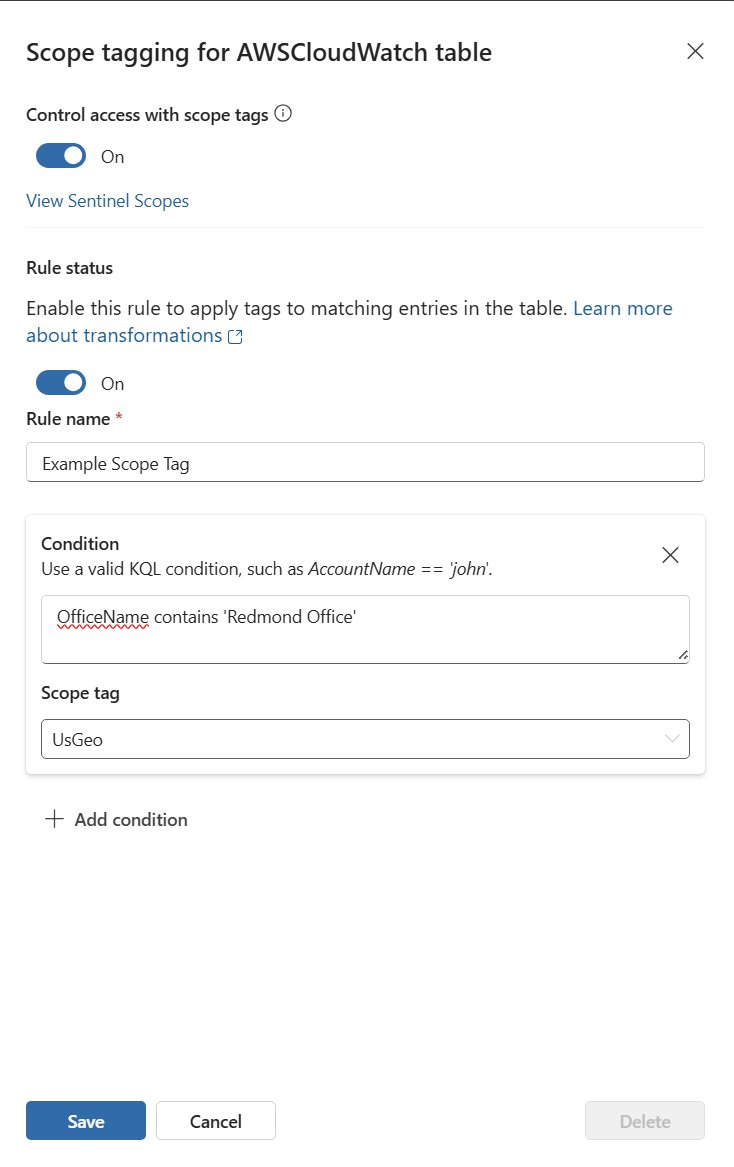
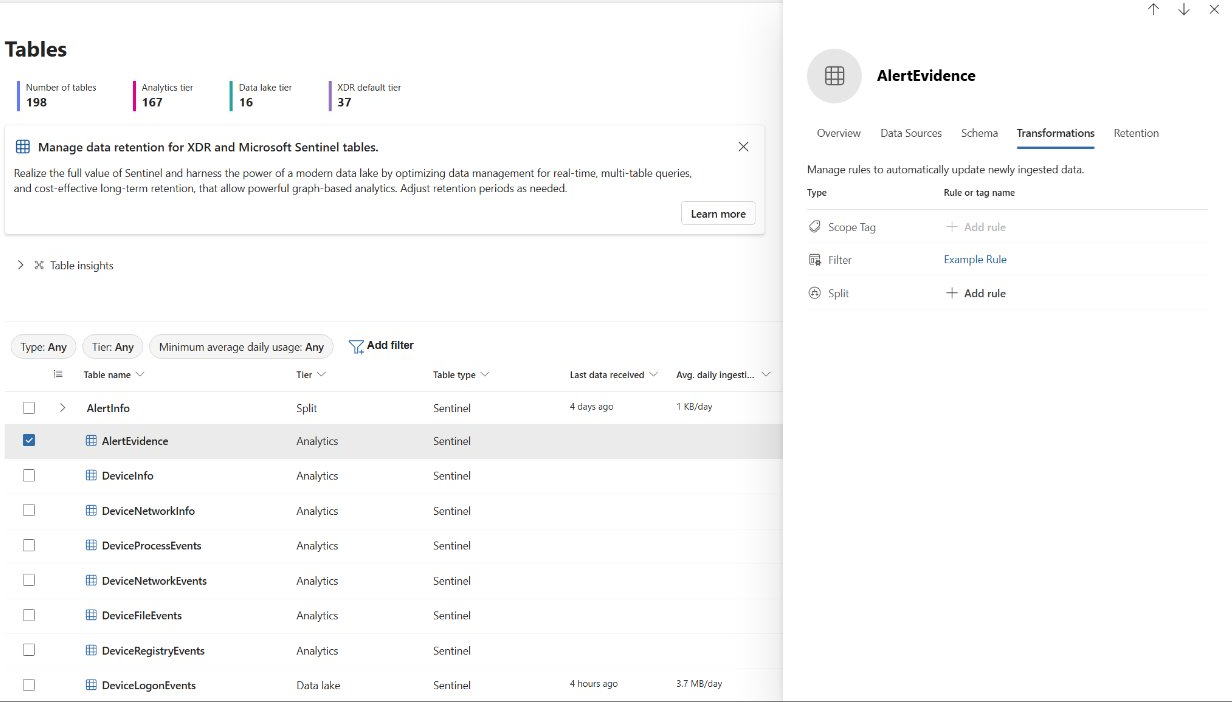
The screenshots below show two parts of that frontend experience: managing transformation types from a table's details panel, and configuring a scope-tag rule with a KQL condition. These controls connect ingestion-time data management with the access policies applied to matching rows.
Public documentation
Microsoft Learn documents how filter and split transformations can reduce ingestion noise, control costs, and route security data to the storage tier best suited to its operational value. Its scoping documentation also explains how ingestion-time scope tags support row-level access within shared Sentinel environments.
Inside the experience